Basic functions: Workspace explainedUpdated 3 days ago
The following screenshot shows you the workspace and, below, an overview of the basic functions in the Bookfactory design software.
1. Sidebar
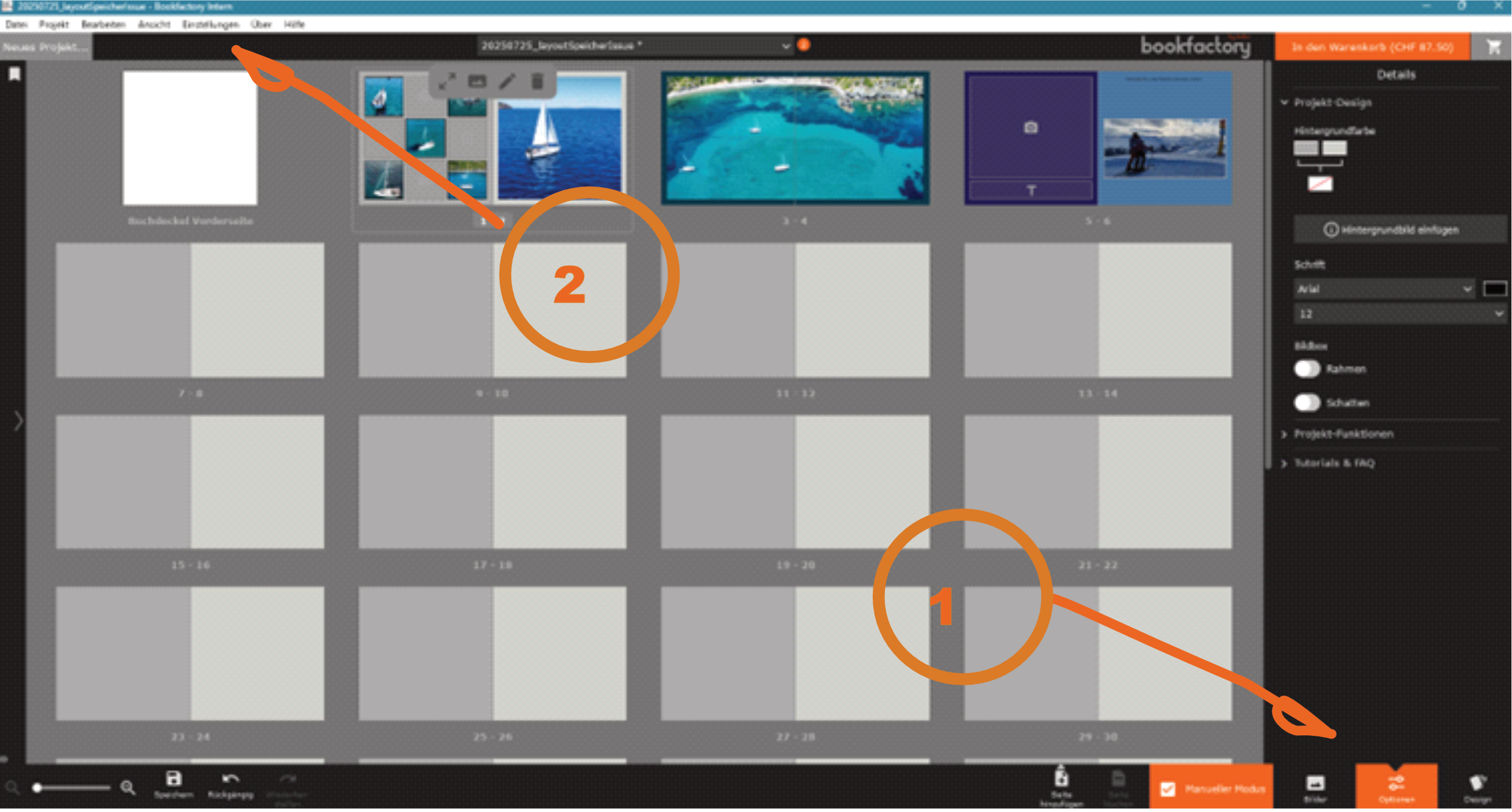
The sidebar consists of ‘Images’, “Options” and ‘Design’.
Images
Here you can upload/filter your photos and see where and how often you have used your images.
Design
There are two links here. One leads to our drive, where we have stored the old Bookfactory templates. You can download the folders and link them like photos. The second link leads to our new templates, which you are welcome to browse through at any time. These are complete Bookfactory projects, ready for text adjustments and your photos.
Options
The largest area of the sidebar. Here you can set up project design settings, but also edit individual photos and texts.
Under ‘Project functions’ you can see a summary of your settings and adjust them, or set up the entire project with images and texts as a new format. You can also export the photos from the project to a new folder here.
2. Topbar
At the top, you also have a variety of actions and presets that you can select. Here is a rough summary:
File
- Save
- New project...
- ...
Project
- Collect photos
- Import images
- Show upload list
- Change format
- ...
Edit
- Undo
- Redo
- Cut/copy
- Apply effects/styles
- Add page
- ...
View
Here you can switch between the sidebar tabs. You can also do this directly in the sidebar or by pressing 1, 2 and 3.
Settings
- Spell check
- Language
- Appearance
- Ruler/guides
- Zoom
- Settings for what should run automatically
- ...
About
- Software version
- External link: Discounts/prices
- Information on data protection/third-party software
Help
- External link FAQ, YouTube and contact page
- Log export
- ...