Problem: Error message when ordering: "The project contains resources whose upload has not yet been completed."Updated 8 months ago
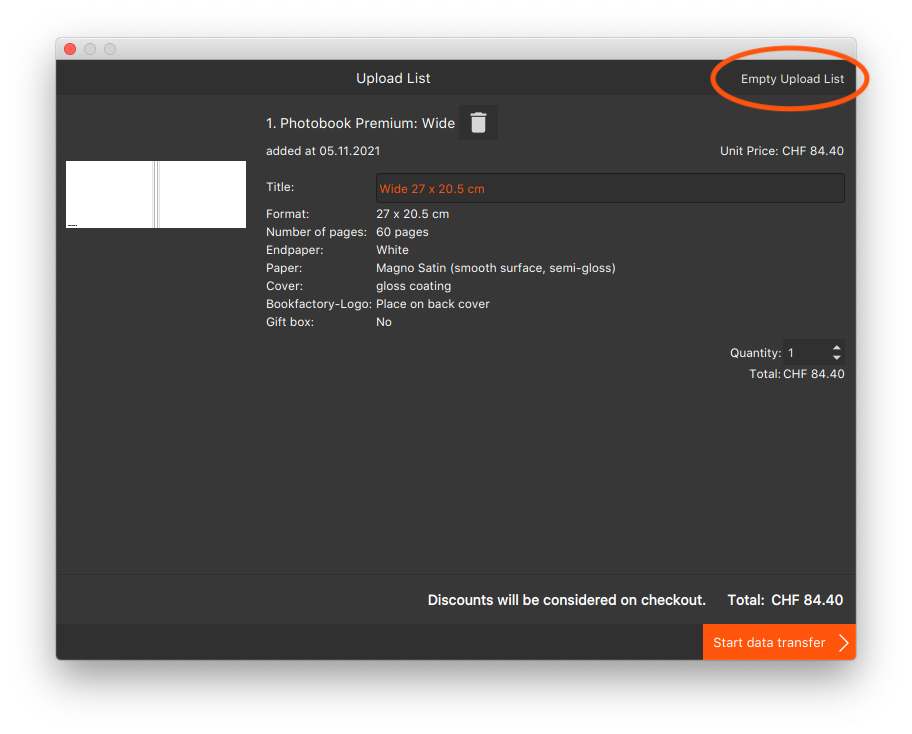
If you have problems transferring your order or if your project does not appear in the cart after the transfer, follow the steps below:
- Navigate back to the Bookfactory design software.
- Open the shopping cart in the Bookfactory design software
- Click on "Empty upload list" in the top right-hand corner.
- Transfer your project to the shopping basket of the software again
- Complete the order